
Why We Warn You About Facebook’s Popup View
When capturing Facebook posts, it's essential that the full URL and metadata are visible. However, when you click on a post from the timeline or news feed, Facebook often opens it in a popup window. That creates issues for evidence capture.
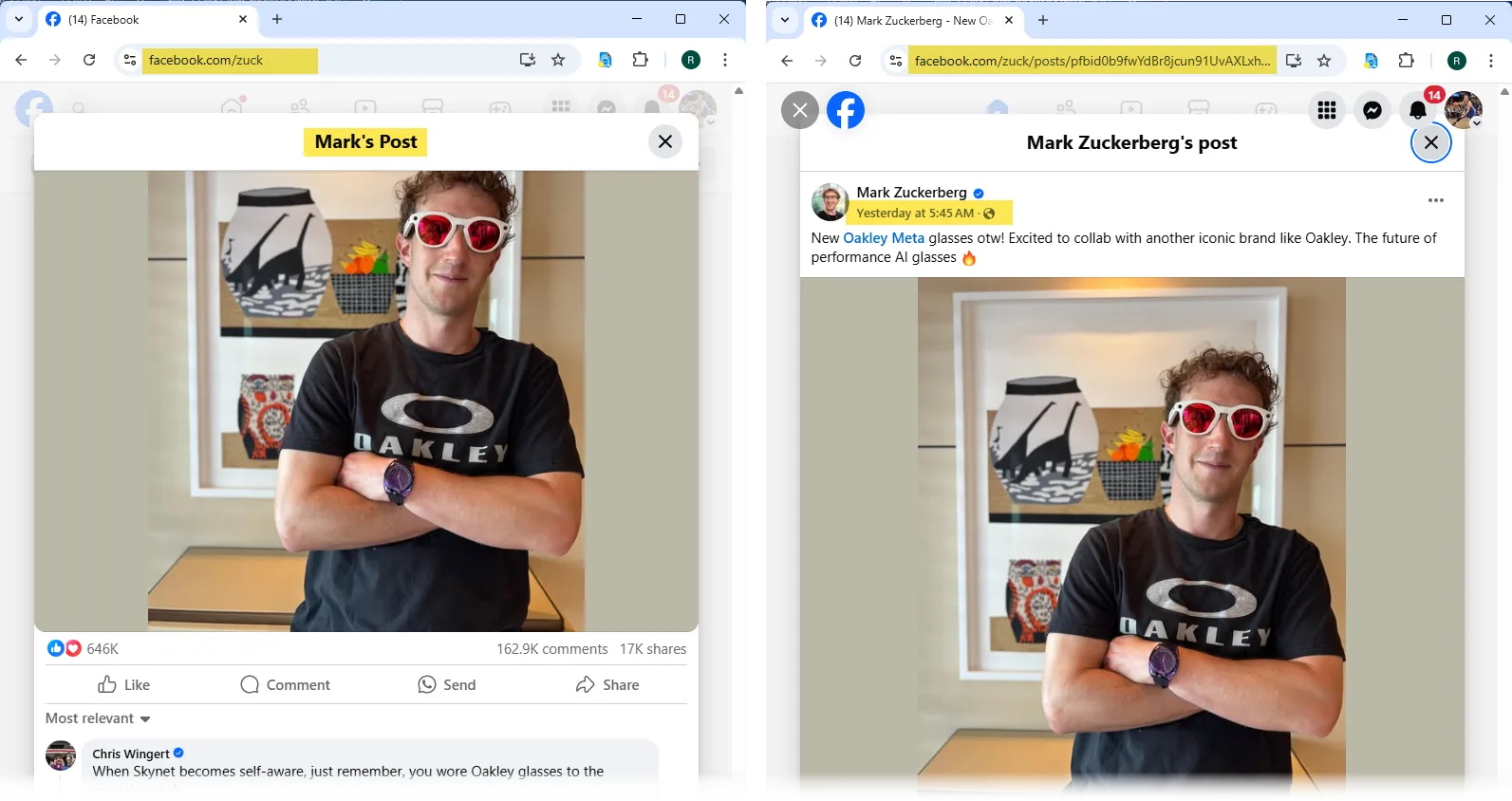
What’s the Problem?
The popup view may look like a full post, but technically it’s not. When a post opens this way:
- The browser URL does not update to show the full post link.
- Key metadata, like the exact timestamp, may not be present in the page source.
- The post may be harder to validate in court or during an investigation.
Why It Matters
Capturing posts in popup view can weaken your evidence:
- You can’t verify where the post came from without a full URL.
- The lack of metadata can raise questions about authenticity.
- In court or professional reviews, this can reduce the strength of your documentation.
- For legal chain of custody, these gaps may be considered unacceptable.
Recommended Action
To avoid these risks, we strongly suggest opening the post in its own browser tab before capturing. The warning includes a green button labeled:
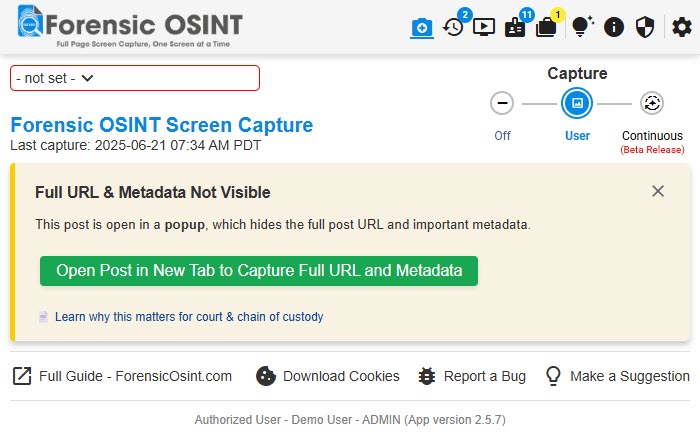
"Open Post in New Tab to Capture Full URL and Metadata"
Clicking this ensures the full URL loads in the address bar and all metadata is included in the capture.
Once the post is open in the new tab, simply open the Forensic OSINT extension in that tab and proceed with your capture. You’ll notice the warning is no longer shown — because the post is now in a valid view.
Skipping the Warning
If you're aware of the limitation and choose to proceed anyway, you can click the “X” in the top-right corner of the warning box. This will dismiss the message and re-enable the standard capture buttons.
This should only be done if you’re confident the missing data is not required for your documentation.
Summary
- Facebook popup views hide the real post URL and metadata.
- Capturing from popup view may compromise evidence integrity.
- Always open posts in a new tab before capturing, especially for legal use.
- You can bypass the warning, but we advise caution.